Figma Design System
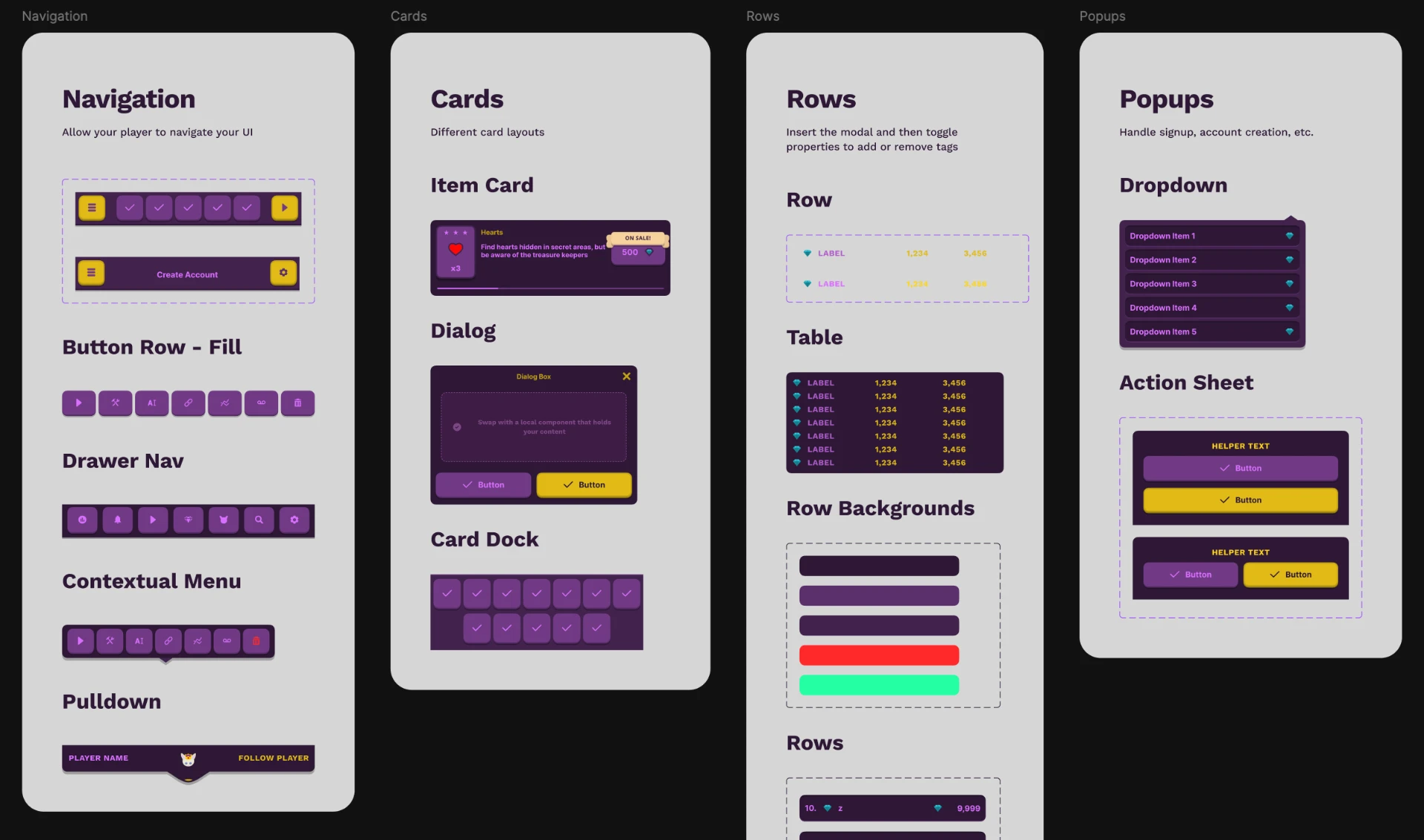
A 200+ component Figma library with variables, variants, and responsive page templates — built to prototype and ship King Rabbit's UI across mobile, tablet, and desktop.
Overview
Shipping King Rabbit across mobile, tablet, and desktop meant prototyping the same UI patterns over and over at different sizes, themes, and states. I responded the way a product designer would: I built a design system. What started as an internal tool to keep our own UI consistent across a growing franchise became a complete, reusable Figma kit for game UI.
Problem
Game UI is deceptively broad — menus, HUDs, dialogs, settings, stores, level select, end-of-run summaries — and every screen needs to hold up across phones, tablets, and desktops in multiple themes and states. Without a system, every new screen meant rebuilding the same patterns from scratch, drifting in style, and burning hours on responsive variants. A two-person team could not afford that overhead.
Approach
I built the kit around the workflows I knew would matter most: total customization through local variables for color, spacing, and radius, so an entire theme retunes in seconds; 200+ components with variants and quick-swap properties for the moments that show up in every game; and dozens of responsive page templates that turn those primitives into clickable flows for phone, tablet, and desktop in minutes. Every component was designed to be interchangeable, every page template to be a starting point — not a final pixel.
Outcomes
The kit became the foundation for King Rabbit's UI across multiple titles and platforms: faster iteration, fewer one-off decisions, and a shared visual language that held up as the franchise grew. It also turned into a polished, standalone product — a Game UI kit that any indie team can drop into their own project to skip hundreds of hours of foundational UI work.